Sky Glass IPTV Buffering: 9 Fixes That Actually Work
Nothing ruins a match or a film like a spinning wheel. If you need an IPTV buffering fix, start with the quick answer below, then work through the full list.
Quick answer: most IPTV buffering comes from your own setup, not the service. Restart your device and router, test your internet speed, switch to Ethernet or 5GHz Wi-Fi, and clear the app cache. These four steps solve the majority of cases.
This guide covers IPTV buffering on Firestick, Android, Smart TVs and PCs, and applies to Sky Glass IPTV UK and other IPTV players such as IPTV Smarters, TiviMate and Smart IPTV.
Why Does IPTV Buffer?
IPTV streams video continuously over your internet connection. Buffering happens when data arrives slower than the player needs it. The usual causes are:
- Slow or unstable broadband, especially at peak evening hours
- Weak Wi-Fi or a router that is far from the device
- A full or overloaded device (very common on older Firesticks)
- Too many devices using the same connection
- Player settings such as buffer size or output format
- A problem on a single channel or stream, rather than your connection
Working out which of these applies saves a lot of time. Start with fix 1.
Fix 1: Restart Your App, Device and Router
It sounds basic, but it clears temporary glitches and memory problems.
- Close the IPTV app fully.
- Restart your Firestick, TV or phone.
- Unplug your router for 30 seconds, then plug it back in.
- Relaunch the app and test a channel.
Fix 2: Test Your Internet Speed
Run a speed test on the same device or on the same Wi-Fi network. As a rough guide:
- HD streams: around 10 Mbps per stream
- Full HD: 15 to 20 Mbps
- 4K: 25 Mbps or more per stream
Remember that other devices share this bandwidth. If your speed is far below your plan, call your internet provider. Speeds that drop in the evening may point to network congestion.
Fix 3: Use Ethernet or 5GHz Wi-Fi
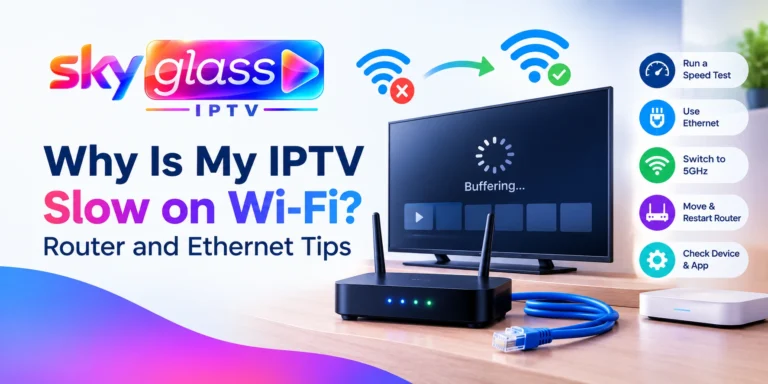
Wi-Fi is the most common cause of buffering at home.
- Best option: a wired Ethernet connection. Fire TV Sticks can use an official Ethernet adapter.
- Next best: connect to the 5GHz band, which is faster at short range.
- Move the router closer, or remove walls and appliances between it and your device.
Fix 4: Clear the App Cache
A bloated cache slows the player down. On Firestick:
- Go to Settings > Applications > Manage Installed Applications.
- Select your IPTV app.
- Choose Clear cache. Avoid “Clear data” unless you are ready to log in again.
On Android, find the same option under Settings > Apps > your IPTV app > Storage. Avoid clearing data unless you have your login details to hand.
Fix 5: Free Up Storage and Update the App
Low storage is a big problem on Firesticks, which have little space.
- Uninstall apps you don’t use.
- Update your IPTV app to the latest version. If you use the Sky Glass IPTV app, get the current build from the APK download page.
- Update your device’s operating system.
Fix 6: Change Player Settings
Some players let you adjust playback options. Settings vary by app and version, so check what yours offers.
- Buffer size: some players, such as TiviMate and VLC-based apps, let you raise the buffer in playback settings. A larger buffer smooths short drops but delays channel start. Many players limit how far you can raise it, so there is an IPTV buffer size limit in practice. Increase it in small steps rather than maxing it out.
- Output or stream format: if your player offers a choice, try switching between formats (for example TS and M3U8).
- Decoder: switch between hardware and software decoding if available.
- Resolution: choose a lower quality if your connection is limited.
IPTV Smarters Buffering on Firestick
People often search for IPTV Smarters buffering on Firestick. The same steps apply: clear the cache, check storage, test the Ethernet or 5GHz connection, and try a different output format in the app settings. If one app misbehaves, try a different compatible player.
Smart IPTV Buffering on Smart TVs
For Smart IPTV buffering on Samsung and LG TVs, most issues come from the TV’s Wi-Fi. Use a wired connection if you can. If your TV is old, an external device such as a Firestick often performs better. The Smart TV installation steps explain the options.
Fix 7: Reduce Network Load
Other devices on your network may be using your bandwidth.
- Pause large downloads, game updates and cloud backups.
- Disconnect devices you aren’t using.
- Avoid several 4K streams at once on a basic connection.
Fix 8: Check Whether It’s One Channel or Everything
Try several different channels and a movie or series.
- Every channel buffers: the issue is your connection or device. Go back through fixes 1 to 7.
- One channel buffers: the issue is likely with that stream. Try another channel for the same match or content.
- Only at peak times: this points to network congestion or a busy source.
This single check tells you where the problem is.
Fix 9: Contact Support with the Right Details
If nothing has worked, contact support and include:
- Your device and model (for example, Firestick 4K)
- The app and version
- Your connection type (Wi-Fi or Ethernet) and speed test result
- Which channels or content are affected, and when
Specific details help the team find the cause faster. You can also request a free trial on WhatsApp and test a different device to see whether the problem follows your setup.
Does a VPN Help with IPTV Buffering?
Many people ask whether a VPN helps with IPTV buffering. In most cases, no. A VPN adds an extra hop, which usually lowers your speed and can make buffering worse.
A VPN may only help in one narrow situation: if your internet provider is slowing certain traffic and a speed test confirms it. That is uncommon, and results vary. If you try one, choose a reputable paid service and test with and without it. Don’t rely on a VPN as your first fix. Start with Ethernet, cache and speed checks.
What Reddit Users Commonly Suggest
If you’ve searched for IPTV Smarters buffering Reddit threads, you’ll see the same advice repeated: use Ethernet, clear the cache, lower the quality, test another app and check your router. That matches the steps above. The difference is that this guide puts them in order, so you can fix the likely cause first.
Quick Reference: Which Fix for Which Problem
| Symptom | Most likely cause | Try |
|---|---|---|
| Buffers on every channel | Internet or Wi-Fi | Fixes 1, 2, 3 |
| Buffers only on Firestick | Storage or cache | Fixes 4, 5 |
| Buffers in the evening | Network congestion | Fixes 2, 7 |
| One channel only | Stream problem | Fix 8 |
| Slow channel start | Large buffer setting | Fix 6 |
Frequently Asked Questions
Why does my IPTV keep buffering?
Usually because of slow internet, weak Wi-Fi, a full device or too many devices on the network.
How do I fix buffering on IPTV Firestick?
Restart the Firestick, clear the app cache, free up storage, use Ethernet or 5GHz Wi-Fi and update the app. See the Firestick setup guide.
Does a VPN help with IPTV buffering?
Usually no. A VPN often slows your connection, so only test one if you suspect your provider is throttling.
What internet speed do I need for IPTV in the UK?
Around 10 Mbps for HD and 25 Mbps or more for 4K, per stream.
Is there an IPTV buffer size limit?
Most players cap the buffer, and a bigger buffer delays channel start. Raise it gradually rather than to the maximum.
Will a better subscription plan stop buffering?
Not by itself. Buffering usually comes from your connection or device. Compare plans on the IPTV subscription page only if you need more simultaneous screens.
Does IPTV buffer more during live football?
It can. Live sport has many viewers at once, so test at different times and use Ethernet where possible.
Still Buffering?
Work through the nine fixes above, then contact the support team with your device details. If you are setting up for the first time, follow the installation guide or return to the Sky Glass IPTV UK guide.