Sky Glass IPTV APK Download – Compatibility and Installation
Before You Install
Before installing an APK, make sure the file comes from a source you can verify and is intended for your device. The Sky Glass IPTV APK is built for Android-based devices only. Installing the app may not be enough to access content: a valid subscription, account or supported playlist may also be required.
Devices listed for APK installation
The APK is built for Android-based hardware. Check the precise model and Android version before downloading. An APK should not be treated as a universal installer for every television or streaming device.
Android TV
(Android 5.0+)Amazon Fire TV
& FirestickAndroid TV Box
(all brands)NVIDIA Shield
(Android TV)Android Smart TVs
(with sideloading)Fire TV Downloader shortcut
Downloader code 5293334 is a shortcut for reaching the Sky Glass IPTV app download through the Downloader application. A code is only a route to a file; it is not proof that the destination is genuine, and it does not activate a subscription.
Tip: only use the code shown on this page. Do not use codes copied from unrelated websites or social posts, as they can lead to copy-cat apps.
Allow Unknown Sources on Fire TV
Fire TV menu names and permissions differ between models and software versions. Use the device’s current settings and do not disable security protections unless you have independently checked the file and understand the risk.
- Open Settings: open Settings on the Fire TV device.
- Select My Fire TV: select My Fire TV or the equivalent Device & Software menu.
- Open Developer Options: on some versions this menu has to be enabled through the About section; follow the current Amazon instructions for your model.
- Allow installation: if the device permits sideloading, review the Install Unknown Apps permission and enable it only for the trusted Downloader app you intend to use.
- Download the APK: open Downloader and enter only the verified download address or code.
- Check the file: check the file name, publisher information, version and file size before installing.
- Stop if anything looks wrong: if the device shows an unexpected warning or the details do not match, stop and verify the source before going further.
You install
Example installation sequence on Fire TV
These steps show a common installation method using the Downloader app. Menu names can vary by device model and software version.
Install Downloader
Install Downloader from the Amazon Appstore if it is available for your device.
Enter the Code
Open Downloader and enter the verified address or the code 5293334.
Check the File
Review the download destination and file details, including the file name, version and size, before you continue.
Install the APK
Proceed with installation only if the file is authentic and compatible.
Open the App
Launch the app and follow the account or playlist configuration method supplied for your subscription.
What is an APK file?
An APK is an Android application package. It is a common format for installing software on compatible Android devices, but it is not a universal app format. An Android APK should not be expected to install on an iPhone, iPad, Roku device or every Smart TV. On each platform, use the official app store or the application’s verified installation instructions where available.
Only install software from a source you trust. Check the app identity, requested permissions and device compatibility. If the operating system blocks the installation or displays a security warning, do not bypass it without first verifying the file.
APK File
Android Device
& Add Details
Configure the Sky Glass IPTV app
- Open the app: after installation, open the application and review the setup options shown on screen. Use only the method confirmed for your account and current app version.
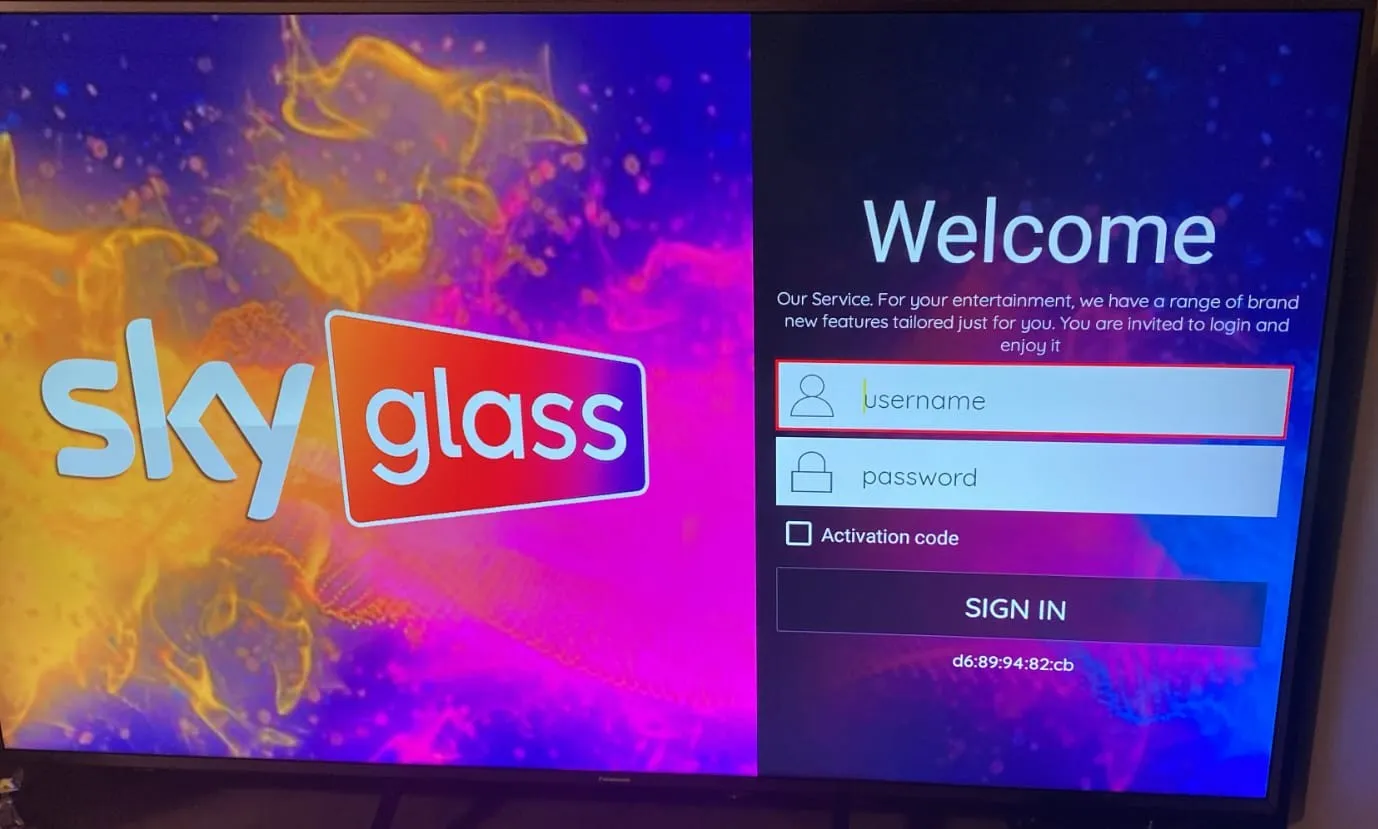
- Option A – Add account or playlist details: if the app offers an Add Playlist or login option, enter the username, password, server address or playlist information supplied for your subscription. The exact fields depend on the application version and account method.
- Option B – Device-based activation: some versions display a MAC address in the app, which you can send to support so your playlist can be assigned. Confirm that you are using the genuine support channel before sharing a device identifier.
- Start the player: once the account or playlist has been configured, allow the app to load its information and test playback.
Keep login details private. Do not send passwords through public channels.
Installing on Fire TV: compatibility note
Not every Fire TV model uses the same operating system or supports the same installation route. Newer Fire TV devices running Vega OS may not support the Android APK process described here. Confirm the operating system of your exact device before following sideloading instructions. If the player is not supported, do not try to force an incompatible APK onto the device.
Compare subscription options
Downloading a player and subscribing to a content service are separate steps. Review the subscription page for current package information, connection limits and terms.
Frequently asked questions
What is the Sky Glass IPTV APK?
It is the Android application package for the Sky Glass IPTV player. Verify the publisher and download source before installing it.
Where should I download the APK?
Use only the download destination currently verified by the service operator. Avoid third-party mirrors when their authenticity cannot be established.
Is Downloader code 5293334 still valid?
It is the code listed on this page. Always check the destination and file details before installing, and contact support if the code stops working.
Does a Downloader code activate a subscription?
No. It is a download shortcut, not an account credential, subscription purchase or activation code.
Can I install an Android APK on an iPhone?
No. iOS does not install Android APK packages. Use an application supported by the Apple platform and its official installation route.
Why does the app request account details?
A player may need valid account credentials or playlist information to connect to a service. Use only the details issued for your own authorised account.
What if the installation is blocked?
Check the model, operating-system version, available storage and source authenticity. Do not ignore security warnings or install a file you cannot verify. See how to fix the app not installed error.
Is the app free?
The cost of an application and the cost of a content subscription are separate matters. Review the app information and current service terms.
Need assistance with installation?
Read the full device installation guide for the relevant setup route. If you still need help, contact support through a verified channel and provide your device model and the issue you see. New to the service? Start with the Sky Glass IPTV UK setup guide.